
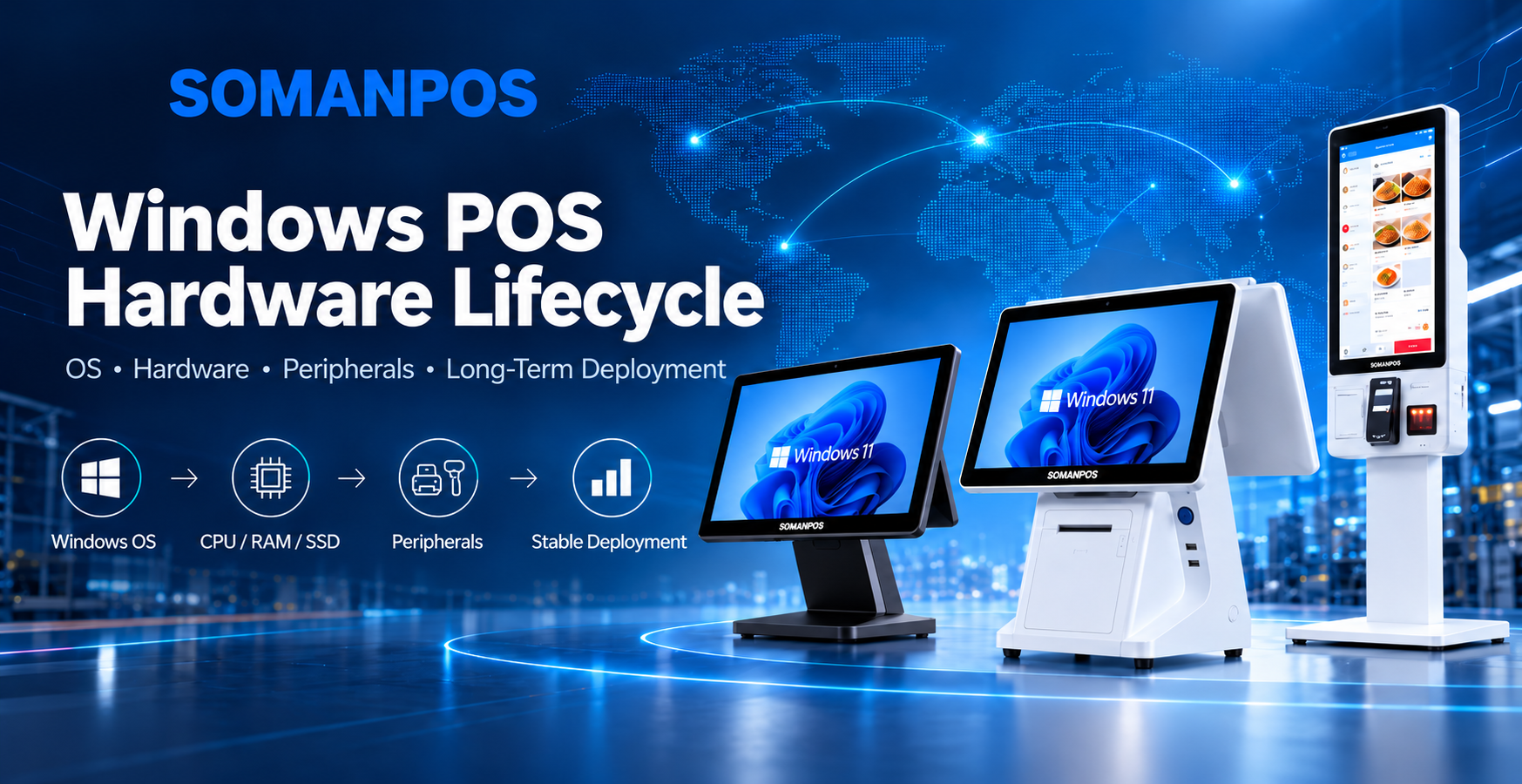
A Windows POS system is expected to operate reliably for years, not only until the next Windows update.
That makes operating system lifecycle planning especially important for POS software companies, system integrators, distributors, and OEM brands.
Microsoft ended updates for Windows 11 version 24H2 Home and Pro on October 13, 2026. According to Microsoft’s official Windows 11 release information, newer Windows releases now have different support timelines depending on the edition and servicing channel.
For a normal office PC, moving to a supported Windows version may be relatively straightforward.
For a commercial POS terminal, however, an operating system change can affect much more than the Windows desktop.
A POS system may depend on a touchscreen, receipt printer, barcode scanner, customer display, cash drawer, MSR reader, NFC device, serial peripherals, payment integration, and proprietary POS software.
Therefore, Windows lifecycle planning should not be treated as a software-only decision.
It should be considered together with the POS hardware platform, peripherals, drivers, product lifecycle, and expected deployment period.
For companies planning a new Windows POS project, the more useful question is not simply:
“Which Windows version should we install today?”
Instead, they should ask:
“How can we keep this Windows POS hardware platform stable, compatible, and supportable throughout the expected deployment lifecycle?”
1. Why Windows Lifecycle Matters More for POS Systems
Commercial POS systems usually have a different lifecycle from consumer computers.
A retailer, restaurant, hotel, or service provider may deploy the same POS hardware across dozens or hundreds of locations.
Once deployed, the terminals may remain in operation for five years or longer.
During this period, the Windows operating system must continue working with the POS software and all connected peripherals.
A typical Windows POS terminal may include a touchscreen, thermal receipt printer, barcode scanner, customer-facing display, cash drawer, MSR reader, NFC reader, Ethernet, Wi-Fi, and multiple USB or serial devices.
A dual-screen POS adds another display and graphics configuration.
Meanwhile, a Windows self-service kiosk may add an embedded printer, QR scanner, camera, payment terminal, and other modules.
Therefore, an operating system upgrade can affect much more than the Windows interface.
It may also affect drivers, communication protocols, display settings, automatic application startup, power management, and peripheral compatibility.
This is why Windows lifecycle planning should begin before mass production.
For a broader view of how different commercial devices can work together, see our guide to POS hardware for software companies and connected hardware ecosystems.
2. What Does the End of Windows 11 24H2 Support Mean for POS Projects?
Windows 11 version 24H2 Home and Pro reached the end of updates on October 13, 2026.
After the end of servicing, these editions no longer receive regular security updates, fixes for known issues, or normal technical support for that release. Microsoft recommends moving eligible devices to a supported Windows version.
However, this does not mean every edition of Windows 11 24H2 reached end of support at the same time.
Enterprise, Education, and IoT Enterprise editions follow different servicing timelines.
For new commercial POS projects, the key lesson is simple:
Do not choose a Windows image only because it was previously used on another project.
Instead, the software company and hardware provider should check the current Windows lifecycle before confirming the production image.
Before moving to a newer Windows release, the project team should also test:
- POS software compatibility
- Thermal printer drivers
- Barcode scanner drivers
- Customer display drivers
- Touchscreen operation
- Graphics output
- Serial communication
- Network connectivity
- Automatic application startup
- Sleep and wake behavior
- Remote support tools
- System recovery
For bulk deployments, the new Windows image should be validated on a complete sample before mass production.
This is especially important when the POS system uses several USB or serial peripherals.
3. Windows 11 Pro vs. Windows IoT Enterprise for POS Systems
There is no single Windows edition that is best for every POS application.
The correct choice depends on the software, deployment environment, update strategy, and expected product lifecycle.
Windows 11 Pro
Windows 11 Pro can be suitable for many standard commercial POS deployments.
It provides a familiar Windows environment and can work well for retail, restaurant, hospitality, supermarket, and general checkout applications.
It may be a practical option when the POS software provider actively maintains its application and can validate future Windows updates.
However, customers must monitor the Windows servicing lifecycle.
A Windows version that is supported when the project starts may reach the end of servicing while the POS hardware is still operating.
Therefore, the upgrade strategy should be considered before large-scale deployment.
Windows 11 IoT Enterprise
Windows IoT Enterprise is designed for commercial and specialized devices.
Microsoft positions Windows IoT Enterprise for fixed-purpose commercial applications, including retail, hospitality, banking, healthcare, and manufacturing.
For POS and kiosk projects, it can provide another Windows option when the device performs a dedicated commercial function.
However, normal Windows 11 IoT Enterprise releases still follow version-specific servicing periods.
For example, Microsoft currently lists different end-of-servicing dates for IoT Enterprise 24H2, 25H2, and 26H2.
Therefore, customers should not assume that every Windows IoT Enterprise installation automatically provides ten years of support.
Windows 11 IoT Enterprise LTSC 2024
For fixed-function commercial devices that require a more stable software environment, Windows 11 IoT Enterprise LTSC 2024 is another option.
Microsoft describes this LTSC release as being designed for special-purpose devices where functions and features are expected to remain relatively constant throughout the device lifecycle.
Examples include devices used in retail, hospitality, banking, healthcare, and manufacturing.
Windows 11 IoT Enterprise LTSC 2024 follows a ten-year lifecycle extending into 2034.
This can be valuable for POS terminals, kiosks, industrial computers, and other fixed-purpose systems where frequent feature changes are not desirable.
However, LTSC should not automatically be selected for every POS project.
Licensing, application compatibility, device eligibility, and deployment requirements should be confirmed through the appropriate Microsoft licensing channel.
Therefore, the choice between Windows 11 Pro, Windows IoT Enterprise, and Windows IoT Enterprise LTSC should be based on the actual project.
4. The Windows Version and POS Hardware Lifecycle Should Be Planned Together
Operating system lifecycle and hardware lifecycle are closely connected.
Imagine that a POS software company plans to deploy the same terminal for five years.
If the motherboard is discontinued after two years, the replacement board may use a different chipset, Ethernet controller, graphics controller, or other components.
Even if the replacement board has better specifications, the software company may need to repeat compatibility testing.
The same issue can happen with other hardware.
For example, a different touchscreen controller may require another driver.
A new Wi-Fi module may behave differently in the customer’s network environment.
A different SSD may affect system recovery or long-term write performance.
A new LCD panel may require different display settings.
Therefore, a good Windows POS platform should balance three factors:
Operating system support: the Windows edition should remain supported for the required deployment period or have a clear upgrade path.
Hardware availability: the CPU, motherboard, touchscreen, display, RAM, SSD, and important peripherals should have reasonable supply continuity.
Software compatibility: the POS application and required drivers should remain stable on the selected Windows environment.
For OEM and ODM projects, these three factors are often more important than simply choosing the newest processor available.
5. How to Choose the Right Processor for a Windows POS System
The highest-performance CPU is not always the best processor for a POS terminal.
The correct processor depends on the software workload.
For many mainstream retail and restaurant applications, an Intel N100-class platform can provide a practical balance between performance, power consumption, and cost.
A typical mainstream configuration may include:
Intel N100 + 8GB RAM + 128GB or 256GB SSD
This type of configuration can support many cashier, restaurant, hospitality, and general retail applications.
For existing projects, Intel J6412-based platforms may also remain suitable when the POS software, Windows image, drivers, and peripherals have already been validated.
However, new long-term projects should consider the expected motherboard lifecycle before choosing an older processor only because of a lower price.
For applications that require more computing performance, Intel Core i3 or Core i5 platforms may be appropriate.
These configurations can be useful for applications involving large local databases, multiple software services, several displays, video content, complex browser applications, or additional background processes.
The goal should not be to maximize CPU performance.
Instead, the hardware should provide enough performance for the software while maintaining reasonable power consumption, thermal performance, and cost.
SOMANPOS offers multiple all-in-one POS system configurations for Windows-based retail and hospitality projects.
6. Recommended Windows POS Hardware Configurations for Different Applications
There is no single configuration that fits every Windows POS project.
Screen size, CPU, RAM, storage, interfaces, and peripherals should be selected according to the customer’s software and deployment scenario.
Standard Retail or Restaurant POS
A mainstream Windows POS terminal may use:
- 15-inch, 15.6-inch, or 18.5-inch capacitive touchscreen
- Intel N100 or similar x86 processor
- 8GB RAM
- 128GB or 256GB SSD
- Gigabit Ethernet
- Multiple USB ports
- RS232 interfaces
- Optional customer display
- External receipt printer
- Barcode scanner
- Cash drawer
SOMANPOS currently offers a 15.6-inch Windows POS terminal with Windows and Android options, J6412/J4125/Core i3/Core i5 processor choices, 8GB/16GB memory, SSD storage, multiple USB interfaces, LAN, and optional customer display.
For customers upgrading an existing POS platform, interface compatibility should be checked before changing the motherboard.
Dual-Screen Windows POS
A dual-screen POS system adds another layer of compatibility requirements.
A typical configuration may include a 15.6-inch main touchscreen and a 10.1-inch, 11.6-inch, or 15.6-inch customer-facing display.
The customer-facing screen may show:
- Order information
- Promotions
- Advertisements
- Loyalty content
- Customer interaction interfaces
Therefore, both displays should be tested after Windows or graphics driver changes.
Display orientation, resolution, scaling, and software behavior should also be confirmed during sample testing.
Windows POS with Built-In Thermal Printer
Some projects require a more integrated checkout station.
In this case, the Windows POS can include a built-in 80mm thermal receipt printer.
This structure reduces counter space and can simplify installation.
However, integrating the printer introduces additional engineering requirements.
The project should confirm printer driver compatibility, auto-cutter operation, paper loading access, internal cable routing, thermal management, and replacement access.
If the printer model changes later, the new printer should be tested with the customer’s software and Windows image before mass production.
Windows Self-Service Kiosk
A Windows-based self-service kiosk usually requires more interfaces than a standard cashier terminal.
Typical peripherals may include:
- 80mm thermal printer
- 2D barcode or QR scanner
- Camera
- NFC reader
- Payment terminal
- Speaker
- ID reader
- Other application-specific modules
For this reason, the motherboard should provide enough USB, serial, LAN, and display interfaces for current requirements and future expansion.
Intel N100 can be suitable for many standard kiosk applications.
For more demanding applications, Core i3 or Core i5 may provide additional performance.
SOMANPOS also provides self-service kiosk hardware for ordering, payment, information, and other commercial self-service applications.
Mini PC or Industrial Computer for Embedded Applications
Not every Windows POS application requires a traditional all-in-one terminal.
For some projects, a Mini PC or fanless industrial computer can be combined with a separate touch monitor.
This architecture can be suitable for:
- Kitchen Display Systems
- Embedded self-service kiosks
- Digital signage
- Industrial HMI
- Custom retail installations
- Wall-mounted touch systems
A modular computer-and-display structure can make future maintenance easier because the computing unit can be replaced without replacing the touchscreen.
This can be useful when the display and computer have different product lifecycles.
7. Peripheral Compatibility Should Be Tested Before Windows Upgrades
POS compatibility is often evaluated only at the motherboard level.
However, peripherals can create just as many compatibility problems.
A Windows update or driver change may affect:
- Thermal receipt printers
- Barcode scanners
- Customer displays
- Touchscreens
- Cash drawers
- MSR readers
- NFC readers
- Cameras
- Wi-Fi adapters
- Bluetooth devices
- Serial equipment
- Payment devices
For dual-screen systems, both displays should be tested.
For self-service kiosks, the printer, scanner, camera, and payment communication should also be checked.
Commercial validation should include more than simply starting Windows successfully.
The system should also be tested for cold boot, restart, automatic application launch, network disconnection and recovery, peripheral reconnection, long-hour operation, unexpected power loss, and system recovery.
A Windows POS terminal that works for ten minutes in a laboratory is not necessarily ready for continuous commercial deployment.
If a system experiences unexpected restarts, blue screens, or peripheral conflicts, see our detailed guide to troubleshooting Windows stop code errors on POS terminals and Mini PCs.
8. Create a Stable Windows POS Image Before Mass Production
Once the hardware configuration is approved, the Windows image should also be controlled.
A production image may include the selected Windows edition, approved Windows version, chipset drivers, graphics drivers, LAN drivers, Wi-Fi and Bluetooth drivers, touchscreen drivers, printer drivers, display configuration, and customer-approved system settings.
If required, the customer’s POS application can also be tested on the sample hardware.
The key objective is consistency.
A sample that works correctly should not be followed by a mass-production batch using different drivers, BIOS settings, or important hardware components without verification.
For OEM projects, the approved configuration should be documented.
A typical record may include the motherboard model, BIOS version, CPU, RAM specification, SSD specification, touch controller, LAN controller, Wi-Fi module, display configuration, peripheral models, and driver versions.
This makes future troubleshooting easier.
It also helps maintain consistency between sample units and mass-production units.
9. Hardware Component Changes Should Be Controlled
Commercial hardware supply chains change over time.
RAM, SSDs, LCD panels, touchscreen controllers, Wi-Fi modules, and other components may eventually require substitution.
Two components may look technically equivalent on a specification sheet.
However, they may behave differently in a real POS environment.
For example, a different SSD may use another controller.
A different touch controller may change touch response.
A different Ethernet controller may require another Windows driver.
Therefore, component substitution should not be automatic.
For long-term OEM projects, the manufacturer and customer should agree which components can be replaced with approved equivalents and which changes require additional compatibility testing or customer approval.
This is particularly useful for software companies that need consistent hardware across several production batches.
10. What Should POS Software Companies Confirm Before Ordering Windows POS Hardware?
Before approving a Windows POS terminal, software companies and system integrators should confirm the complete deployment environment.
Important questions include the Windows edition, expected deployment lifecycle, CPU requirements, memory and storage capacity, display configuration, interface requirements, and required peripherals.
The customer should also confirm whether the project requires an integrated printer, second customer display, barcode scanner, cash drawer, NFC reader, MSR reader, camera, or payment terminal.
Network requirements should be reviewed as well.
Some installations require both Ethernet and Wi-Fi.
Others rely on dedicated local networks.
Finally, the project should define how Windows updates and future hardware substitutions will be managed.
These decisions are easier to make before mass production than after hundreds of terminals have already been deployed.
11. Windows POS Hardware Should Be Tested with the Actual Software
For POS software companies, sample testing is one of the most important stages before mass production.
The test unit should be configured as close as possible to the final production model.
The customer should install the actual POS application and connect the real peripherals.
This makes it possible to verify application performance, startup time, touch response, printer communication, barcode scanning, customer-display behavior, network performance, dual-screen operation, and driver compatibility.
For long-hour commercial applications, extended testing is also useful.
Instead of testing only whether the application opens successfully, the complete system can run continuously for several days while simulating the real customer workflow.
This gives both the software company and the hardware manufacturer a better understanding of the complete system before volume production begins.
12. How SOMANPOS Supports Windows POS OEM/ODM Projects
SOMAN TECHNOLOGY CO., LTD. manufactures Windows POS hardware for POS software companies, system integrators, distributors, importers, and OEM brands.
Our Windows POS product portfolio includes multiple screen sizes and form factors for retail, restaurant, hospitality, and self-service applications.
Available configurations can include:
- 15-inch POS terminals
- 15.6-inch POS terminals
- 17-inch POS terminals
- 18.5-inch POS terminals
- 21.5-inch POS terminals
- Single-screen POS systems
- Dual-screen POS systems
- POS systems with built-in thermal printers
- Windows self-service kiosks
- Mini PCs and embedded computing platforms
- Touch monitors and customer-facing displays
Depending on the project, customers can select different CPU, RAM, SSD, interface, screen, peripheral, mounting, enclosure, branding, boot-logo, and packaging options.
SOMANPOS focuses on hardware manufacturing rather than POS software development.
Therefore, customers can provide their own Windows POS software and application requirements.
The hardware configuration can then be selected and tested around the actual software environment.
For software companies that need more than one type of commercial device, see our guide to POS hardware for software companies.
This approach allows software providers to evaluate Windows POS terminals, self-service kiosks, Mini PCs, printers, scanners, customer displays, and other hardware within a broader deployment strategy.
13. A Practical Windows POS Lifecycle Checklist
Before moving from sample testing to mass production, the project team should confirm five areas.
Operating system: confirm the Windows edition, version, servicing lifecycle, update strategy, and licensing model.
Hardware platform: confirm the CPU, motherboard, RAM, SSD, BIOS, display, and touch controller.
Peripherals: test the printer, scanner, cash drawer, customer display, MSR/NFC reader, and payment communication where applicable.
Stability: test restart, automatic application startup, network recovery, unexpected power loss, long-hour operation, and system recovery.
Production control: record the approved BOM, driver package, Windows image, substitute-component rules, and spare-parts plan.
For larger deployments, this process can reduce differences between the engineering sample and later production batches.
Conclusion: Plan the Windows POS Lifecycle Before the Hardware Rollout
The end of Windows 11 24H2 Home and Pro support is a useful reminder that POS operating systems and POS hardware should be planned together.
For a POS software company, moving to another Windows release is not simply an IT update.
It can affect drivers, printers, scanners, customer displays, serial devices, dual-screen behavior, system recovery, and the stability of the complete POS solution.
Therefore, Windows lifecycle planning should begin before hardware deployment.
Choose the Windows edition according to the application and expected lifecycle.
Select the processor and motherboard according to real software requirements.
Test all required peripherals.
Create a controlled Windows image.
Document the approved hardware configuration.
Manage future component changes carefully.
Most importantly, select the POS hardware around the software application rather than selecting specifications first and trying to make the software fit later.
If you are developing a Windows POS solution and need hardware for software testing or OEM/ODM production, contact SOMANPOS to discuss your required screen size, processor, RAM, SSD, interfaces, customer display, printer, scanner, and other hardware requirements before sample production.


