
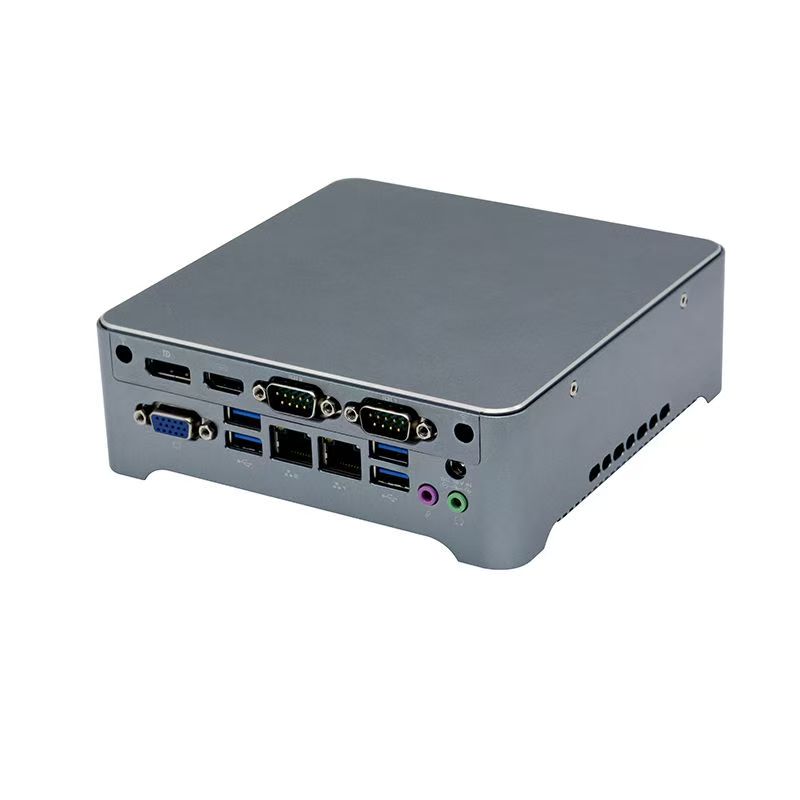
How to Choose the Right Mini PC for Business
Choosing the right mini PC for business is not just about CPU, RAM or storage. Although those specifications matter, they do not tell the whole story. In practice, the right business mini PC also depends on the application, operating hours, interface requirements and installation environment.
For example, a mini PC for office work is very different from one used in digital signage, machine control or long-hour commercial operation. If you choose the wrong model, the problem may not appear at the quotation stage. Instead, it often appears later through unstable performance, missing ports, poor heat dissipation or difficult integration.
Therefore, buyers should start with the business application first. In other words, the project requirement should guide the hardware choice. If you are comparing different product types, you can also review our Mini PC products and Industrial Mini PC categories before making a decision.
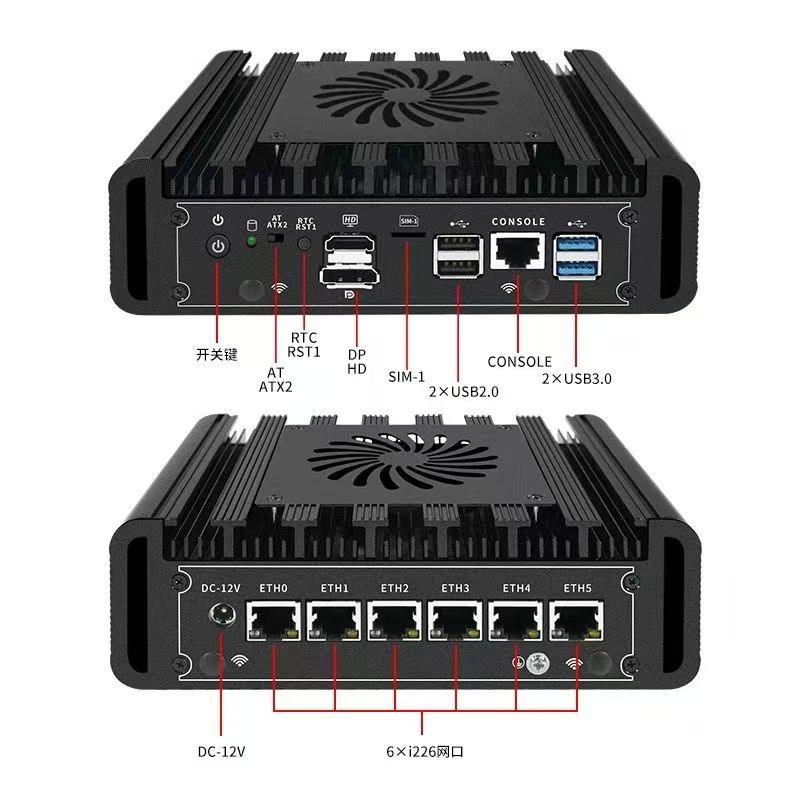
1. Start with the Application, Not the Specification
Before you compare processors or storage sizes, define the real use scenario. First of all, ask what the mini PC will actually do. Then, think about where it will be installed and how long it will need to run.
For example, ask these questions:
- What will the mini PC be used for?
- Will it work in an office, a retail environment, a machine, or an industrial setting?
- Will it run one software system or several at the same time?
- Will it operate during business hours only, or continuously?
- Does it need to connect to older or special devices?
These questions matter because different applications need different types of mini PCs. As a result, the same model may work perfectly in one project but fail in another.
For instance, a mini PC for office work usually focuses on compact size, quiet operation and smooth daily performance. A mini PC for digital signage, by contrast, often needs stable video output and long-hour operation. Meanwhile, a mini PC for embedded equipment may need COM ports, dual LAN or auto power on. Similarly, a mini PC for industrial control may need fanless design, stronger stability and better tolerance for demanding environments.
So, if you do not define the application clearly from the beginning, you can easily choose the wrong model. More importantly, you may create extra cost later through replacement, troubleshooting or project delays.
2. Standard Model or Industrial Model?
This is one of the most important buying decisions. In fact, many purchasing mistakes begin here.
A standard mini PC for business usually works well for office desktops, home office setups, meeting rooms, front desk workstations and general business productivity. An industrial mini PC, on the other hand, is usually a better fit for embedded systems, industrial automation, communication control, equipment integration, long-hour use and projects that require COM, dual LAN or watchdog-related functions.
Many buyers focus only on price and CPU level. However, that approach can be misleading. A standard home or office mini PC may look powerful enough on paper. Nevertheless, it may not be suitable for continuous operation or machine integration.
Therefore, if your project needs stronger stability, more industrial interfaces or unattended operation, you should consider an industrial mini PC from the start. If long-hour reliability matters, you may also want to review our Fanless Mini PC options.
3. Does Your System Need Continuous Operation?
Not all mini PCs follow the same operating pattern. Some are designed for daily office use. Others, however, must keep running for many hours without interruption.
For example, some business projects use the device only during office hours. Meanwhile, others require the system to stay on for extended periods or even 24 hours a day. Typical examples include digital signage players, entertainment machines, self-service terminals, industrial controllers, monitoring systems and network communication devices.
If the mini PC must run continuously, you should pay close attention to:
- Cooling design
- Fanless or active cooling structure
- Chassis material
- Long-hour stability
- Auto power on
- Wake on LAN
- PXE boot
- Watchdog support
In these cases, long-term stability matters more than appearance or consumer-style features. Therefore, buyers should treat reliability as a core requirement, not as a bonus feature.
For additional reference, you can also review Intel’s guidance for small business computers and compare how business hardware is selected for different workloads and environments.
External reference: Intel small business computer guide
4. Choose CPU Performance Based on Real Workload
A stronger processor does not always lead to a better buying decision. Instead, the processor should match the real workload.
For example, basic office tasks, browser-based systems and simple business software usually do not need very high CPU performance. More demanding software, by contrast, may require stronger Intel Core or AMD Ryzen options. Meanwhile, embedded or industrial projects often care more about system stability and interfaces than about top-end processing power.
As a result, many buyers make one of two mistakes. Either they choose a model that is too weak, or they pay for performance they never actually use.
So, do not ask, “What is the most powerful mini PC?”
Instead, ask, “What level of performance does my application actually need?”
That question is much more useful because it links the hardware directly to the business task.
5. Memory and Storage Affect Daily Efficiency
Memory and storage directly affect user experience. Even if the processor is good enough, poor memory or storage choices can still create a slow and frustrating system.
For example, if the mini PC needs to run several programs at once, handle many browser tabs or load larger software quickly, you should not overlook memory and SSD storage.
Before you choose a model, confirm:
- How many applications will run at the same time
- Whether the system handles light or heavy multitasking
- How much storage the project actually needs
- Whether fast SSD response matters
- Whether future upgrades may be necessary
In many commercial and industrial projects, SSD storage offers faster response and better reliability. In addition, upgradeable memory and storage often give you better long-term flexibility. Therefore, it makes sense to think beyond today’s requirement and consider tomorrow’s expansion as well.
6. Check Display Requirements Early
Display output is often a hidden decision factor. At first, it may seem simple. However, it can quickly become a major issue if the project needs more screens or specific display interfaces.
Some projects need only one monitor. Others, however, may need dual display, triple display, quad display, or independent and mirrored display modes.
This becomes especially important for operations management, control systems, monitoring applications, multi-window office tasks and content display systems.
Before choosing a mini PC, confirm:
- How many displays are needed
- What interfaces are required
- What screen resolution is expected
- Whether the displays must work independently
Otherwise, the mini PC may look suitable in general specifications but still fail the actual project requirement. For that reason, buyers should confirm display needs early rather than trying to solve the issue later.
If multi-screen output is a priority, you can also explore our Mini PC with Dual LAN or higher-performance Mini PC models, depending on your setup.
7. Do Not Ignore Ports and Interfaces
For many buyers, connectivity matters just as much as performance. After all, a mini PC often becomes part of a larger system. Therefore, interfaces deserve careful attention from the beginning.
Depending on the application, you may need USB, HDMI, DisplayPort, Type-C, audio output, Gigabit LAN, dual LAN, COM ports, WiFi, Bluetooth, SD or MicroSD slots, and storage support such as SATA, M.2 or mSATA.
For standard office use, basic USB and display interfaces may be enough. However, industrial or embedded use often requires more. For example, the project may need dual LAN for network flexibility, COM ports for machine communication, RS232 or RS485 support, watchdog-related functions or a special power input design.
For this reason, always review interfaces based on the full system requirement, not just the mini PC itself. In other words, do not buy the computer first and think about the connections later. If serial communication is part of your requirement, our Mini PC with COM Port category may be relevant.
8. Consider the Installation Environment
The installation environment matters just as much as the internal configuration. In many cases, it directly affects whether a standard model is enough or whether a more rugged model is necessary.
For example, ask whether the system will be installed on a normal office desk, behind a monitor, inside a cabinet, inside a machine, in a warm or dusty environment, or in a location with limited airflow.
A normal office environment usually allows more flexibility. However, harsher environments require more from the hardware. In those cases, fanless structure, heat dissipation, aluminum housing and system reliability become much more important.
Therefore, a model that works well in a conference room may not work well inside industrial equipment. As a result, buyers should evaluate the installation condition before they finalize the model choice.
For broader guidance on Mini PC selection and use cases, Lenovo also provides a useful overview of what a mini PC is and how buyers evaluate different models.
External reference: Lenovo mini PC guide
9. Networking Requirements Can Change the Model Choice
For some applications, networking is simple. For others, it becomes a key selection factor.
You should confirm whether one LAN port is enough, whether dual LAN is required, whether WiFi is needed, whether Bluetooth is needed for peripherals, and whether the system needs Wake on LAN or PXE boot.
If the project involves communication systems, industrial devices, network separation or more stable wired deployment, a dual LAN mini PC may be the better choice.
This is especially common in industrial applications, automation projects, network devices, communication control systems and unattended equipment.
So, before you compare models, make sure you understand the networking requirement clearly. Otherwise, you may choose a system that performs well but does not integrate smoothly into the wider network setup.
10. What to Confirm Before Ordering
A good supplier should do more than give you a price. They should also help confirm whether the configuration actually matches the application.
Before placing an order, confirm the following:
- Application scenario
- Operating hours
- CPU level
- Memory and storage requirement
- Number of displays
- Required display interfaces
- USB, LAN, COM and audio needs
- Installation environment
- Whether fanless design is needed
- Whether WiFi or Bluetooth is required
- Whether special functions such as auto power on or watchdog are necessary
These questions help you avoid one of the most common purchasing mistakes: buying a model that looks fine on the quotation sheet but does not truly fit the project.
More importantly, they help both buyer and supplier align on the real requirement before production, testing or shipment begins.
11. Compare Price with Suitability, Not Just Cost
It is normal to compare prices between mini PC suppliers. However, in business projects, the cheapest model is not always the most cost-effective one.
A lower-price model may create higher costs later if it leads to unstable operation, insufficient ports, poor compatibility, difficult installation, higher failure risk or replacement and maintenance issues.
Therefore, when you compare options, ask these questions:
- Does this model match the application?
- Does it have the right interfaces?
- Can it run for the required hours?
- Is it suitable for the installation environment?
- Does it allow future expansion?
Ultimately, the right mini PC is the one that supports the project smoothly and reduces future problems. So, instead of focusing only on unit price, focus on overall suitability and long-term value.
Final Thoughts on Choosing a Mini PC for Business
If you want to choose the right mini PC for business, start with the project itself.
Do not choose only by CPU, RAM or price. Instead, first confirm where the mini PC will be used, how long it needs to run, what interfaces are required, how many displays are needed and whether the environment is standard or industrial.
For normal office and business use, a standard mini PC may be enough. By comparison, for embedded systems, automation, machine integration or 24/7 operation, an industrial mini PC is often the better choice.
In short, the clearer your application is, the easier it becomes to choose the right configuration and avoid costly mistakes.
Need Help Choosing the Right Mini PC for Business?
Tell us your application, required interfaces, operating hours and display needs, and we can recommend a suitable mini PC model and configuration for your project.
CTA button text:
- Tell Us Your Application
- Get a Mini PC Recommendation
FAQ
What is the best mini PC for business use?
The best mini PC for business use depends on the application. For office work, a standard business mini PC may be enough. However, for long-hour, embedded or industrial applications, a more stable industrial mini PC may be a better fit.
Can a mini PC run 24/7?
Some mini PCs can run for long hours continuously, but suitability depends on cooling design, system stability and the intended application. Therefore, for 24/7 use, industrial or commercial-grade models are often a better choice than standard home or office mini PCs.
When should I choose a fanless mini PC?
A fanless mini PC often works well in embedded, industrial or dust-sensitive environments where lower maintenance and stable long-hour operation matter. In these cases, fanless design can improve reliability and simplify upkeep.
Why would I need dual LAN on a mini PC?
Dual LAN can improve network flexibility. In particular, it helps in communication systems, industrial control and applications that require more stable or separated network connections.
Why is COM port support still important?
COM ports still play an important role in industrial equipment, automation systems, control devices and legacy hardware. Therefore, they remain valuable in many embedded and commercial projects.
How do I know if I need an industrial mini PC?
If your project involves continuous operation, machine integration, industrial devices, harsher environments or special interfaces like COM and dual LAN, an industrial mini PC is usually worth considering. In that case, it is often the safer and more practical choice.


